A New, Free Book on Zoom, and an Update to My Long Zoom Book

The Take Control folks and I keep trying to find ways to help people who have had to shift abruptly from working in an office to working at home—sometimes in jobs that never allowed or enabled remote work before. Zoom has been a big part of that, because of its robust free tier (up to 100 people in 40-minute sessions) compared to other offerings in early 2020, like Microsoft Teams, Google Meet, Cisco WebEx, and Bluejeans (now part of Verizon).
Earlier this year, as the pandemic first raged, Take Control released my free Take Control of Working from Home Temporarily ebook. A brisk 70 pages, it was designed for people thrust into home work getting their spaces set up, established boundaries, and learning to handle remote work. That‘s still available—at no cost, forever—and I hope eventually to have a more in-depth, separate paid title focused more on home office work.

On August 27, Take Control put out my latest free title, Take Control of Zoom Essentials. This 40-page book grew out of a longer title, Take Control of Zoom, which tackles every topic at length. Zoom Essentials is our attempt to make it easy for people to get up and running in Zoom, and to improve all the aspects of their work area, audio and video, and meeting participation without reading hundreds of pages of Zoom’s online documentation. I hope you’ll download a copy and let other people know it exists.
Both free titles are no strings attached: when you download the book, you choose to have no further contact from Take Control, emails only about updates to the book, and general emails about Take Control Books. This is the same with any paid book, too—nobody is opted into any marketing list.

If you’re looking for a deep dive into Zoom, particularly if you want to host meetings or learn how to handle presentations well, get the significant version 1.1 update of my paid book, Take Control of Zoom. This nearly 200-page title takes you from Zoom user to Zoom master, and answers thousands of questions, offers step-by-step instructions for tasks that are often difficult to figure out from Zoom’s help, and provide workarounds where Zoom or software you’re trying to use with it fails.
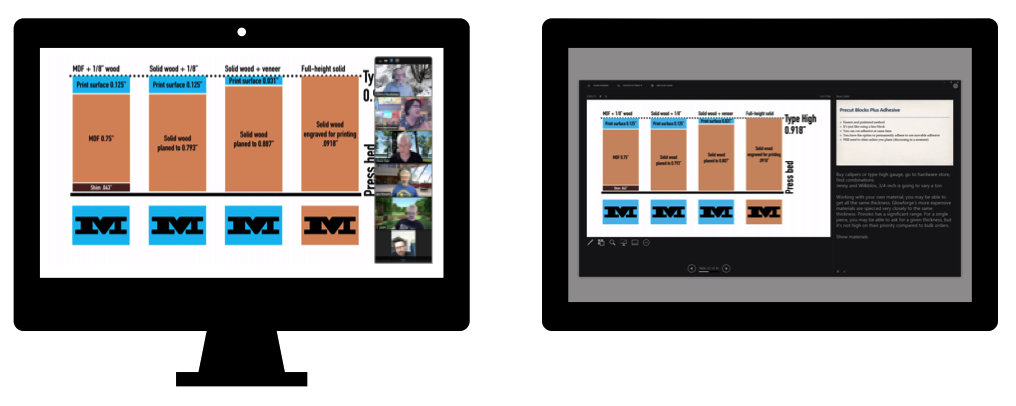
The latest edition adds a detailed section on presenting Zoom. The book already covered sharing one’s screen, but based on reader feedback, I dive into using PowerPoint and Keynote in Zoom, working with full-screen mode in Windows and macOS, and running presentations and demos with a single-display computer, two-or-more-monitor computer, or multiple devices from which you present or show different slides, video, or other elements. I also explain virtual cameras, and give overviews of Camo, mmHmm, and OBS, three popular options.